
Build Buddy
Role
Designer/UX Research
Service
UI/UX
Deliverables
Mobile app
Overview
BuildBuddy is a mobile app designed to help beginners confidently build their own PC. Many first-time builders feel overwhelmed by choosing compatible parts and understanding the assembly process. BuildBuddy simplifies this experience by guiding users through part selection, recommending compatible components, and providing step-by-step instructions to help them build their system with confidence. The goal of the project was to create a clear and supportive experience that reduces confusion and makes PC building more accessible to new users.
PROBLEM
What's the problem we are trying to solve here?
Many aspiring PC builders feel overwhelmed by the lack of clear guidance and accessible resources, making it difficult to confidently start the process. This uncertainty often leads them to purchase expensive pre-built systems instead of building their own
SOLUTION
The Solution
A system that provides step-by-step recommendations for assembling a PC after selecting components, guiding users through the entire building process.
RESEARCH
Research methods
To better understand the challenges of building a PC, I conducted user interviews and analyzed common pain points across beginner and experienced users.
Key Findings
80%of users expressed interest in building their own PC with the right guidance
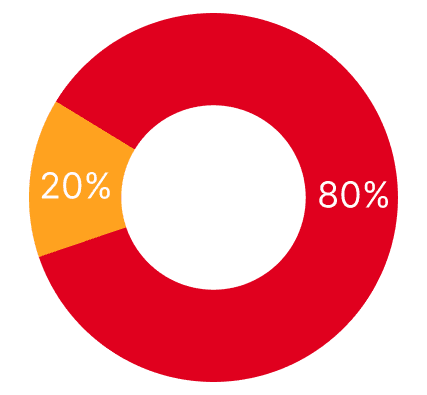
20% of users prefer to buy a pre-built PC for the convenience and time constraints
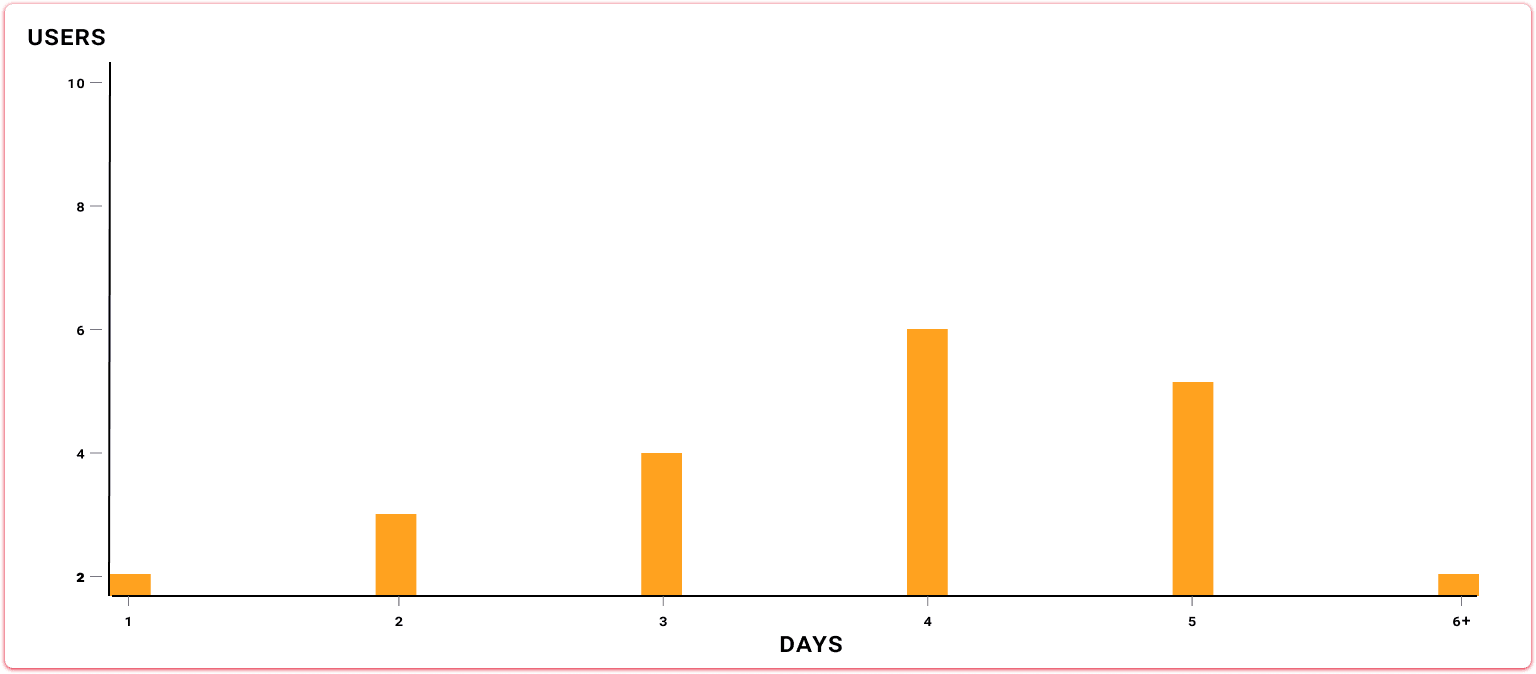
3–5 days was the average time for users to complete their build due to troubleshooting and uncertainty.
User Personas
These personas were created from user research to represent the different types of people building PCs. They helped me understand what users are trying to achieve, the areas they struggle the most and what kind of support they need throughout the process.

Meet Jared!
Jared is a 24-year-old video creator in New York City who captures everyday moments through his lens. As his work grows, he needs more powerful hardware to support his video production
Goals
Challenges
Needs
Create videos that captures the audience attention
Improve productivity and efficiency in video editing work flow
Build a reliable, high-performance PC that supports demanding creative work
A computer that keeps up with the demand of video editing tasks
Limited budget for hardware
Time constraints
Access to platform that picks right components
Guidance for building high-performance PC for video editing
Resources for optimizing software

Laura has the skills to build a PC but struggles to remember exact assembly steps, especially for complex builds. She needs quick access to clear instructions for her saved builds to avoid mistakes.
Laura's persona

Ryan wants to build his own PC but feels overwhelmed by choosing components and fears making mistakes. He needs clear guidance on compatibility, assembly, and support from more experienced builders.
Ryan's persona
Affinity Diagram
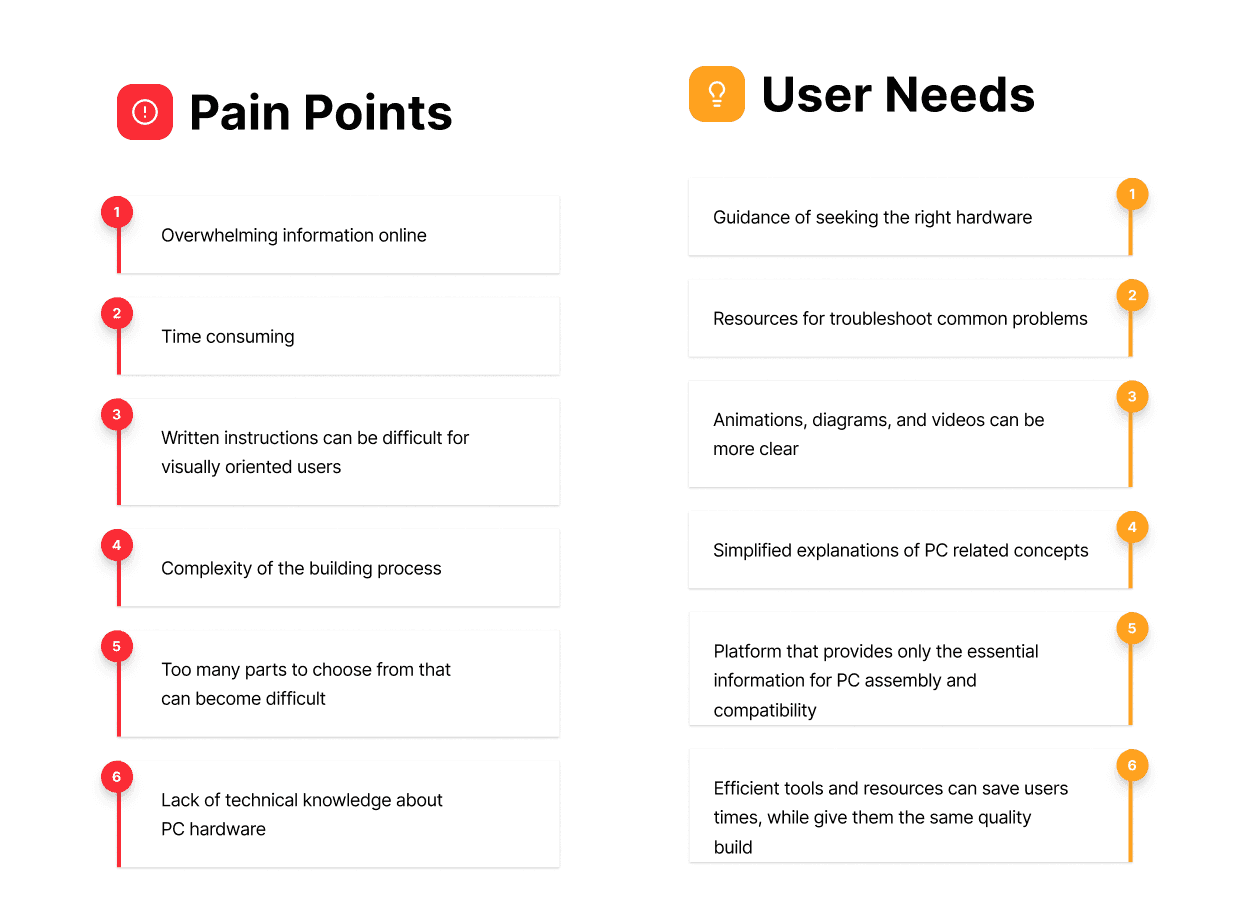
After collecting insights from user interviews and producing user personas, I started to gather the data and create an affinity diagram to make sense of everything I found. As patterns started to form, it became clear where users were feeling stuck, what was causing confusion, and what kind of support they were missing throughout the process.
What I got out of my reseach
These insights showed that building a PC is not just complicated, it is hard to navigate without clear direction. Users are interested in learning and doing it on their own but they just need a simpler and more guided experience. This led me to focus on creating a solution that brings everything into one place, making it easier to choose the right parts, understand compatibility, and confidently move through the build process step by step.
DEFINE
Defining the process
To better understand how users would move through the experience, I mapped out key user flows that outline the steps from selecting a build to completing the assembly process. These flows helped identify opportunities to simplify interactions and create a more guided journey.
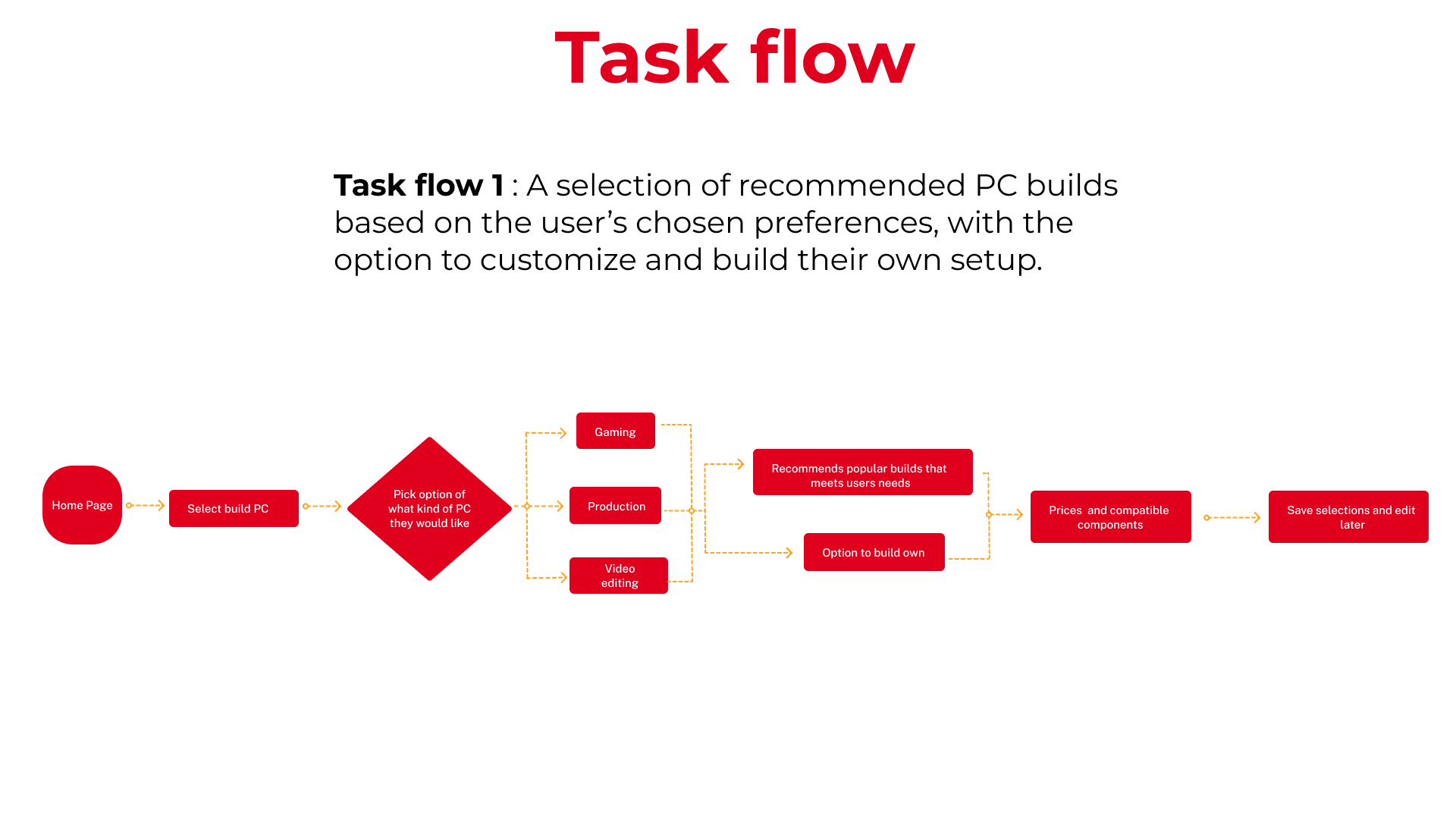
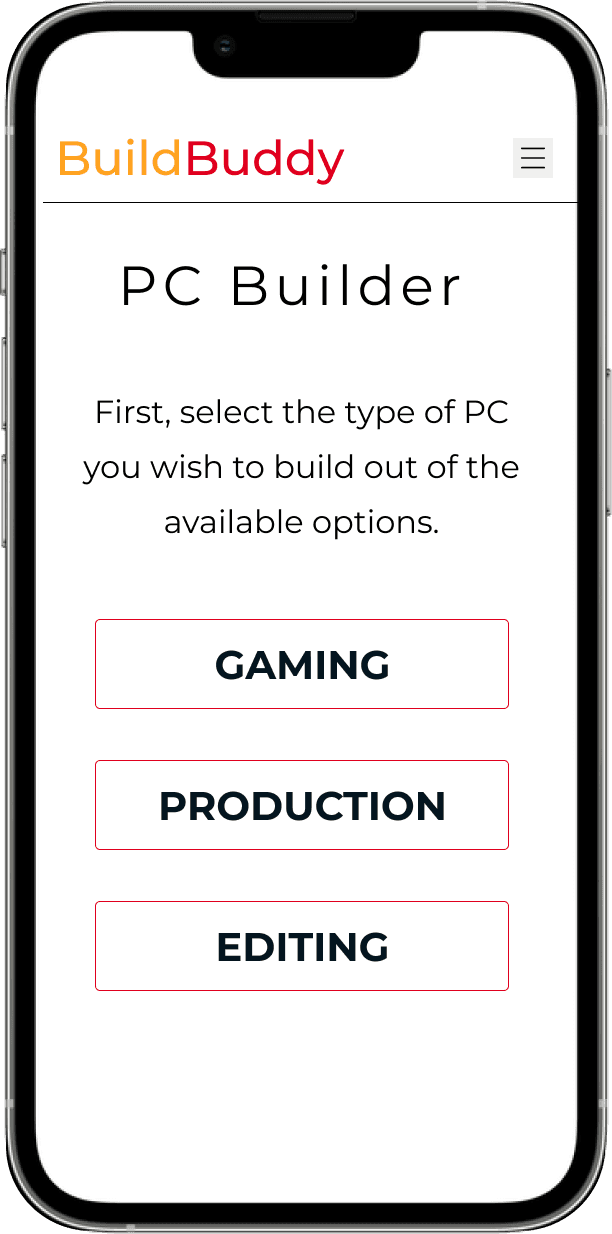
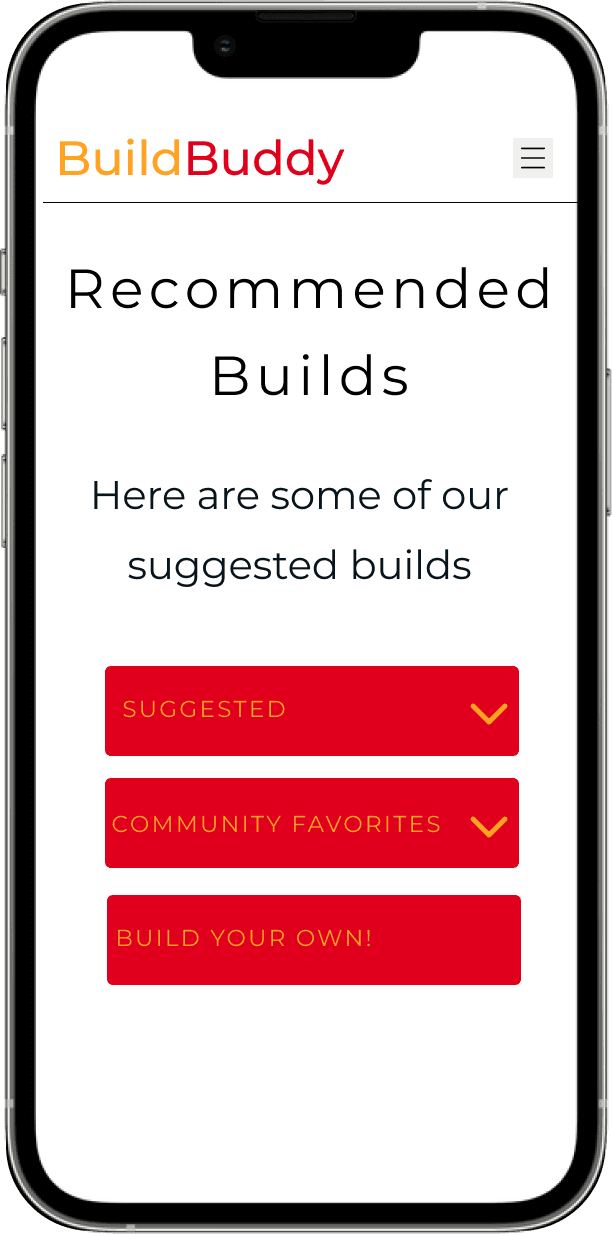
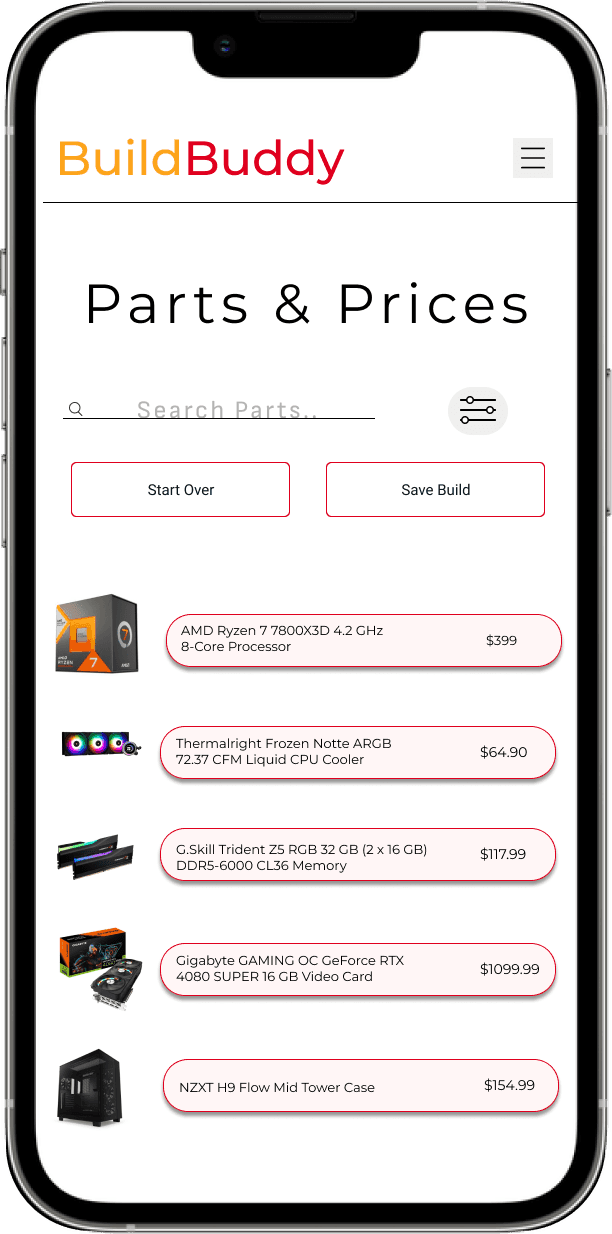
This flow focuses on helping users choose a PC build based on their needs, such as gaming, production, or video editing. Users can explore recommended builds, view compatible components and pricing, or customize their own setup before saving their selections for later.
IDEATE
Using insight to create concrete designs
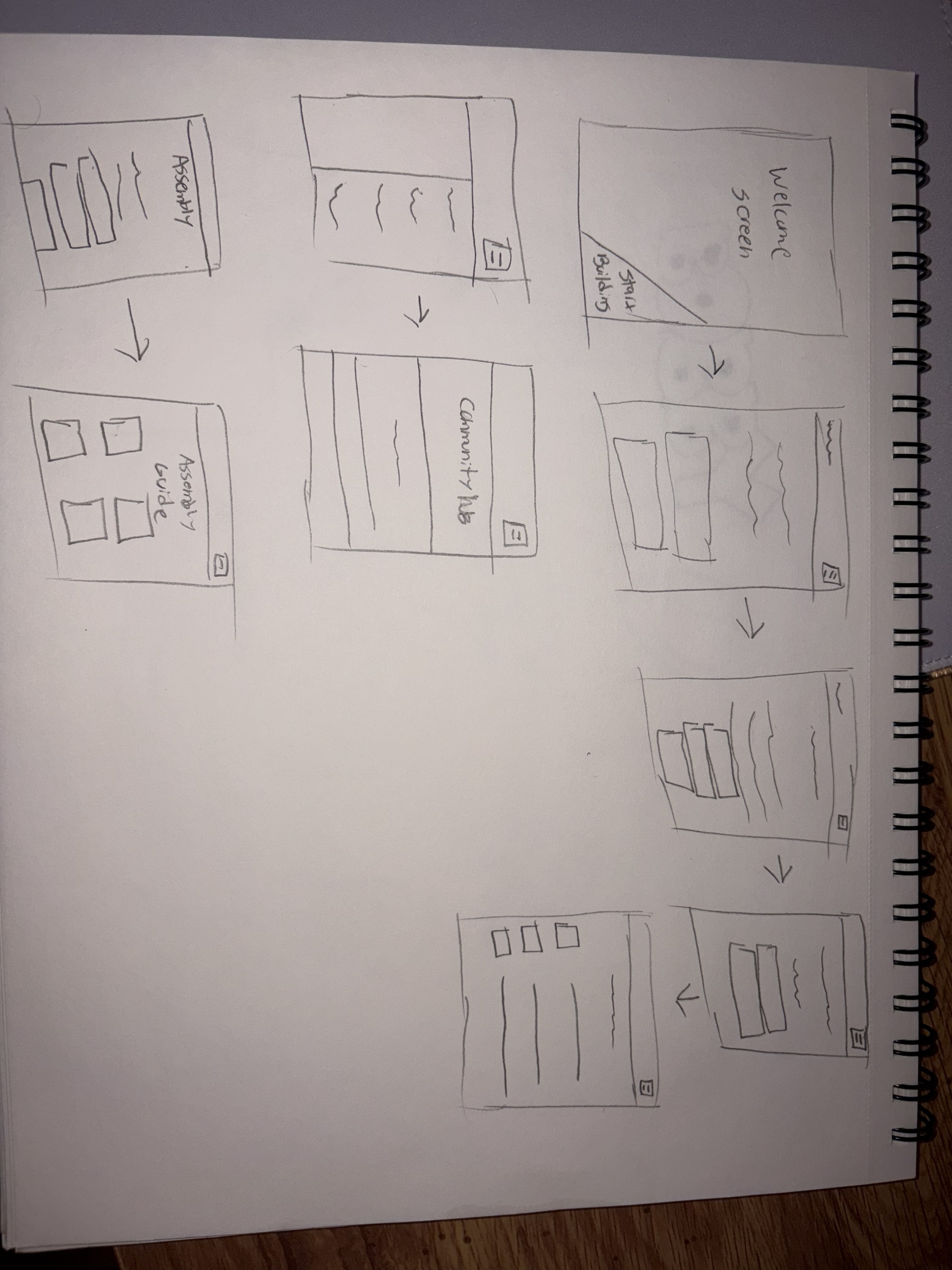
After completing my research, I began turning those insights into early design ideas for BuildBuddy. I sketched low-fidelity wireframes to explore how users would navigate the experience, from selecting a PC build to moving through the assembly process. These early concepts helped shape how the core features would function and how the overall experience could feel more guided and easier to follow.
PROTOTYPE
Prototyping my designs
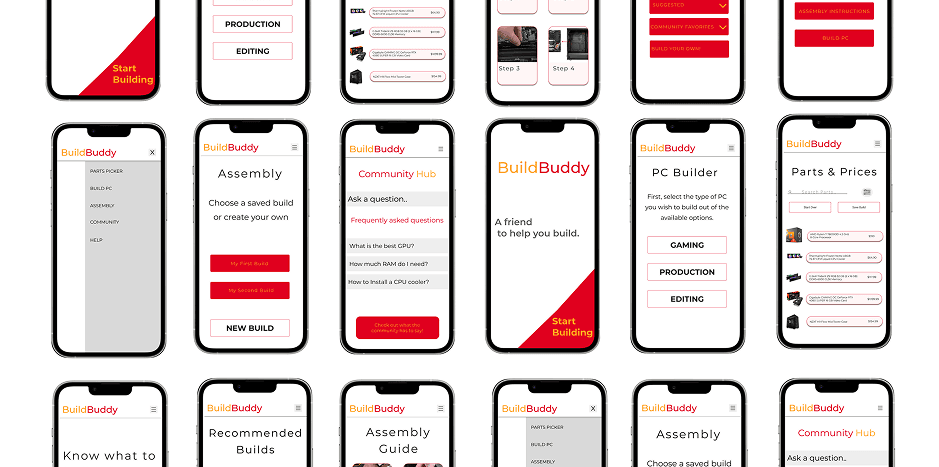
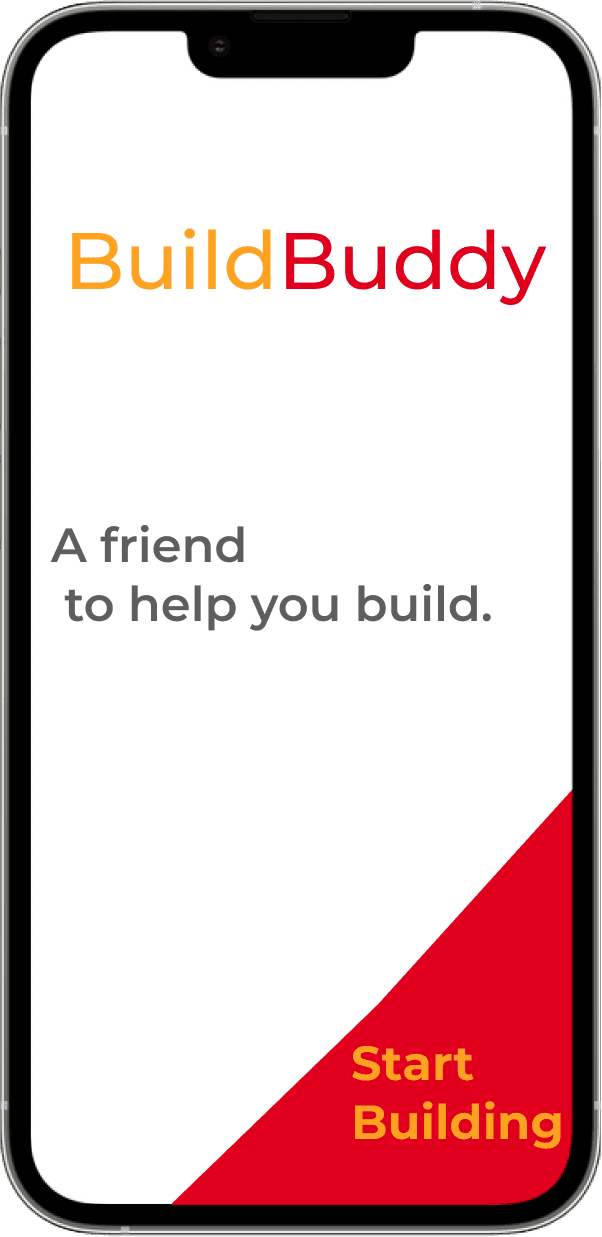
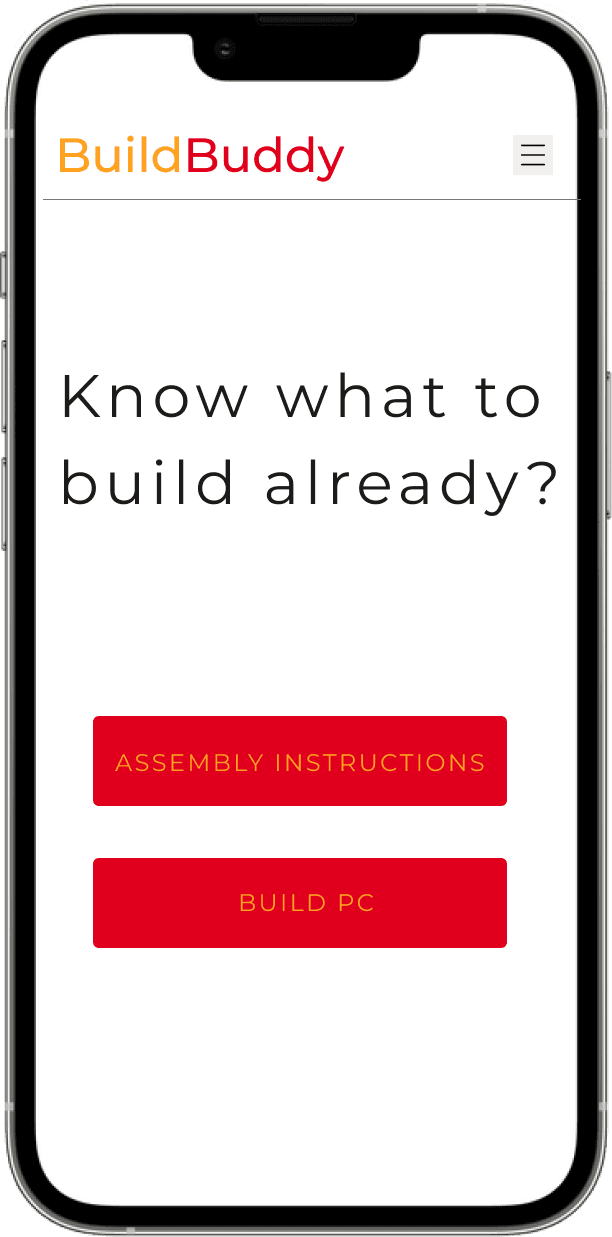
With the structure and flows defined, I moved into high-fidelity designs to bring BuildBuddy to life. These screens show how users move through the experience, from selecting a PC build to following step-by-step assembly instructions.
Final designs
The final prototype showcases BuildBuddy’s key task flows through interactive animations that demonstrate how users navigate the platform in real time. These flows highlight experiences such as accessing the community hub, selecting compatible PC parts, saving custom builds, and viewing assembly instructions. The goal was to create a guided and approachable experience that simplifies the PC-building process while helping users feel more confident throughout each step.


WHAT I LEARNED
My next steps
Moving forward, I would continue improving the experience by incorporating user feedback and testing key parts of the design. Gathering real user insights would help identify pain points, refine interactions, and ensure the platform feels intuitive and easy to use. This process would allow the design to evolve into a more polished and user-centered experience over time.